Is Jev Really Faster for Browser Automation? I Measured It
I benchmarked the Jev model against an LLM agent on real browser navigation: 13x faster per task, and one setup mistake that broke every single test.
On this page ▾
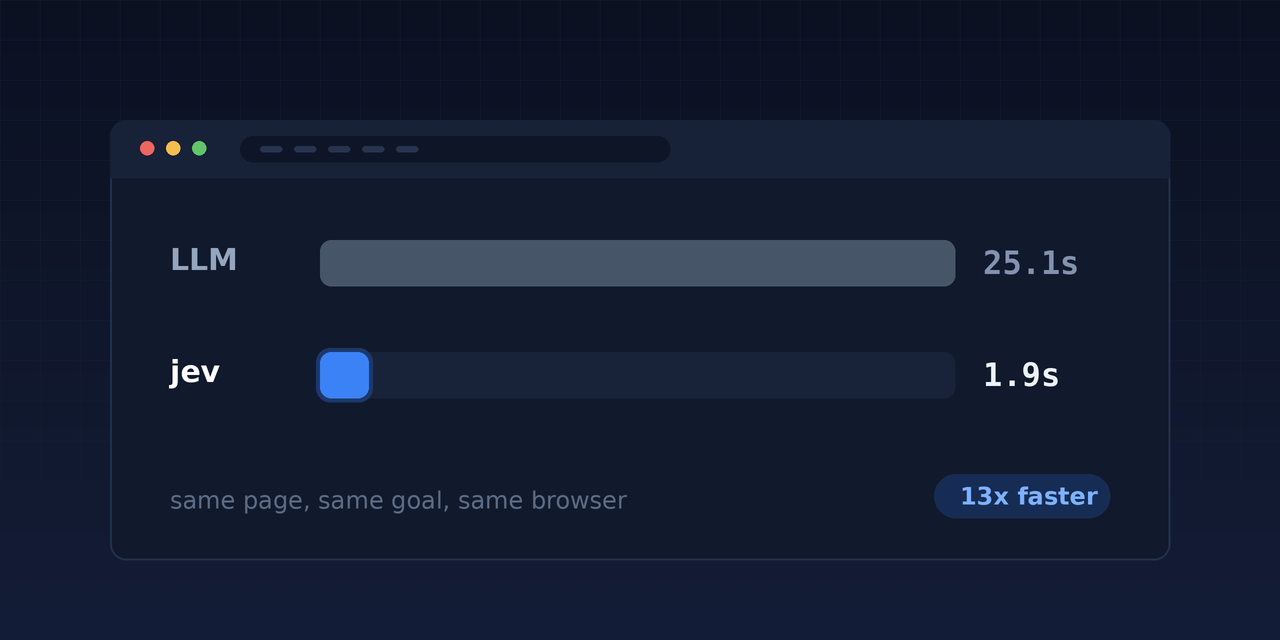
People keep saying the Jev model makes browser automation fast. I wanted to know whether that is true, so I ran the same task twice: once with an LLM driving the browser, once with Jev through the jev CLI.
Short version: it is true, but not for the reason most people give. And I found one setup mistake that quietly broke every test I ran.
What Jev does differently
Jev never writes text. You give it some state and a list of options you defined, and it returns a probability over those options.
That sounds limiting until you look at a web page. A page already contains a finite list of possible actions: every link, every button, every input. That is exactly a multiple choice question. So your code collects the options, and Jev picks one.
The test: same task, two drivers
The task was to start at the Kubernetes documentation home page and reach the page about the Pod lifecycle.
| LLM driving | Jev driving | |
|---|---|---|
| Time to finish | 25.1 seconds | 1.93 seconds |
| Hops to target | 3 | 1 |
| Cost | cents | 0.0008 dollars |
Jev went straight there with 0.90 confidence, then confirmed it had arrived with 0.94.
Where the speed actually comes from
Not from raw model speed. It comes from the fact that Jev produces no output.
An LLM browser step writes a few hundred tokens of reasoning plus a tool call, and every one of those tokens takes time. Jev returns a distribution instead, so the cost of asking is almost flat:
| Questions asked in one call | Time |
|---|---|
| 1 | 303 ms |
| 12 | 290 ms |
| 40 | 293 ms |
| 80 | 331 ms |
Eighty decisions for nine percent more time. That changes what you can afford to ask on every single page.
One warning from my own mistake. My first measurement said 757 milliseconds, and I nearly published it. Almost all of that was the TLS handshake, because I opened a new connection each time. Reuse the connection and the same call takes 303 milliseconds.
How accurate was it?
Across ten navigation tasks on real documentation sites, Jev picked correctly on seven. One of the three misses was a labelling argument rather than a real error.
The more useful result was the safety net. Alongside the “which link” question I asked a second yes/no question: “is this already the page the reader wanted?” On every success that number landed between 0.71 and 0.97. On both real failures it was 0.29 and 0.20. The loop knew it was lost, and stopped instead of wandering.
The trap that cost me every test
To save tokens I trimmed each page to its first 25 links. Accuracy went to zero out of eight.
The reason was not the model. The correct link sat at position 103, 32 and 65 on those pages, so it was never on the menu. Jev picked the best of a bad list and reported 0.76 to 0.91 confidence while doing it.
| Links offered | Correct picks |
|---|---|
| 25 | 0 of 8 |
| 60 | 2 of 8 |
| 200 | 7 of 8 |
Confidence measures how strongly the model prefers one option over the others. It does not tell you the right answer was among them. Since asking over 200 options costs the same time as 25, there is no reason to trim.
Best practices
- Give it the whole candidate list. Truncation is the single most damaging thing you can do, and it fails silently.
- Always include an exit option such as “none of these”, so the model can say the answer is not here.
- Ask a separate verification question every step. The “have I arrived” number is what catches a confidently wrong choice.
- Batch every question into one call. Extra questions cost tokens, not time.
- Reuse one HTTP connection. A fresh handshake can cost more than the decision itself.
- Keep logic in your code. Counting, comparing and looping are not Jev’s job.
What it will not do
Jev cannot click anything. It cannot read a screenshot, since it is text only. It reads literally, so vague instructions produce vague answers. And it is not a replacement for an LLM. It replaces the decision step inside a loop your code already controls.
Try it
Everything above was run through jev, an open source command line tool for the Jev model. Install it and make one page decision:
curl -fsSL https://raw.githubusercontent.com/shaharia-lab/jev-cli/main/install.sh | sh

jev choice "Which link leads to the page stating the model's price per million tokens?" \
  --state-file page.json \
  --option "models=Models: the page listing each model with its price and rate limits" \
  --option "api_reference=API reference: endpoints, request and response shapes" \
  --option "none_of_these=No link here leads to pricing"
{ "choice": "models", "confidence": 0.9,
"probabilities": { "models": 0.92, "none_of_these": 0.08, "api_reference": 0.0 } }That is the whole loop. Your code reads the page and does the clicking, and one command turns a list of links into a decision you can branch on.
The documentation covers question types, batch runs and the MCP setup for Claude Code, Cursor and VS Code.
If this is useful, star the jev-cli repository. It takes two seconds, and it is how the next person finds it. Bug reports and ideas are welcome in the issue tracker.