jev CLI: Text Classification in Your Terminal, With Probabilities Instead of Prose
jev is an open-source CLI for TypeSafe AI's Jev model: ask any text a typed question, get a calibrated probability back, and branch on the exit code.
On this page ▾
You have a support ticket, a commit message, a product review, or something a user typed into a form. You need a decision about it: is this angry, which team owns it, should this pipeline continue.
Today you either write brittle keyword rules, or you ask a large language model and then parse the sentence it hands back. The rules break on the first message that says “not happy”. The model works, until the day it words the answer differently and your parser quietly starts returning the wrong thing.
I have been building a third option into my terminal, and I have just released it: jev, an open-source CLI for TypeSafe AI’s Jev model.
- GitHub: https://github.com/shaharia-lab/jev-cli (open source, MIT or Apache-2.0)
- Install:
curl -fsSL https://raw.githubusercontent.com/shaharia-lab/jev-cli/main/install.sh | sh- Docs: quick start and the full guide
One command, one number
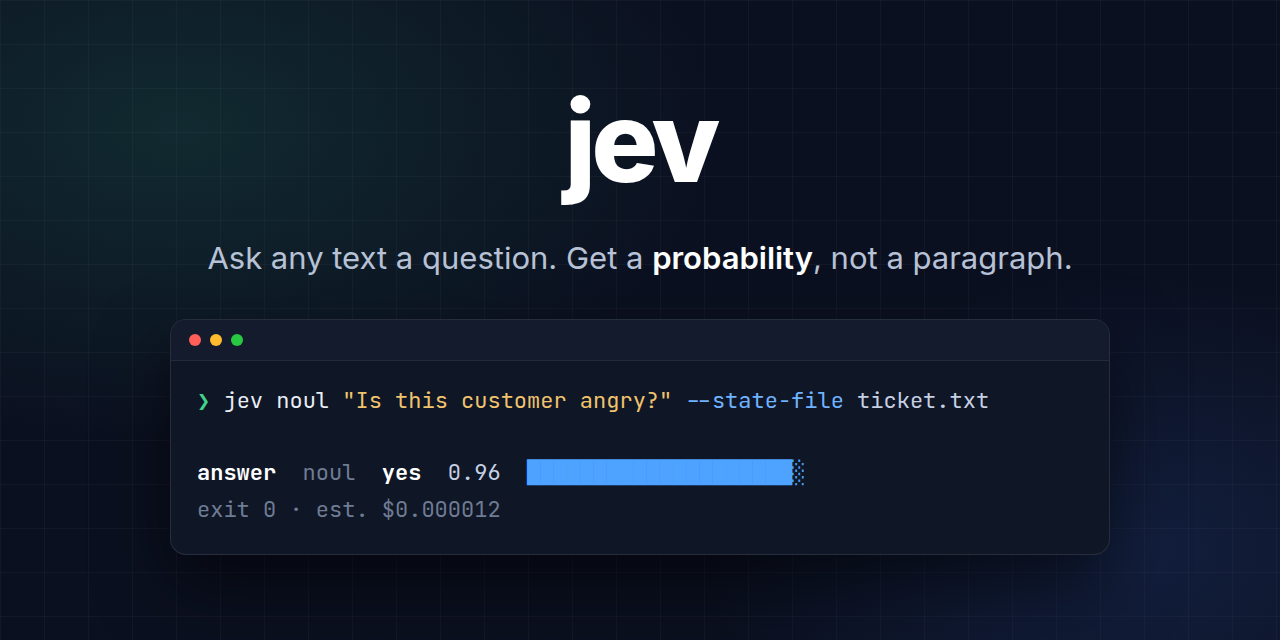
jev noul "Is this customer angry?" --state "You charged me twice. Fix it now."answer noul yes 0.96 ████████████████████░
model jev-1.13.0 · 280 input tokens · est. cost $0.000012 · 783 msThat is the whole idea. Jev never writes text. You define the question and the possible answers, and the model returns a calibrated probability for each one. Your code decides what to do with it.
| LLM prompt | jev | |
|---|---|---|
| You get back | A sentence to parse | A number in a shape you defined |
| Same input next month | May be worded differently | Same contract |
| Cost per short ticket | Cents | A fraction of a cent |
| Use in a shell script | Parse and hope | Exit code 0 or 10 |
Install it and ask something
curl -fsSL https://raw.githubusercontent.com/shaharia-lab/jev-cli/main/install.sh | sh
# or: brew install shaharia-lab/tap/jev
The script never uses sudo, checks the download’s SHA-256 and its signature, and installs a single binary. Windows has a PowerShell one-liner, and cargo binstall jev-cli works anywhere Rust does.
Then give it a key from the TypeSafe console and ask your first question:
export TYPESAFE_API_KEY=...
jev noul "Is this message asking for a refund?" --state "Please close my account and refund me."
About a minute, and a fraction of a cent.
A semantic if statement
This is where it stops being a demo and starts being useful. A gating flag turns the answer into an exit code, so your shell already knows how to use it:
if jev noul "Is this ticket about billing?" --state-file ticket.txt --fail-under 0.7 --quiet; then
  echo "route to billing"
fi
Exit 0 means yes above your threshold. Exit 10 means no, and it is not an error: the answer is printed as usual and stderr stays empty. Every other code is a genuine failure, so a missing key or an outage can never be mistaken for a “no”. That distinction is the part most hand-rolled wrappers get wrong.
Three questions I actually run this way:
- Does this commit message describe a user-facing change, so the pull request needs a changelog entry?
- Is the text a user pasted into this form on topic, before it reaches anything expensive?
- Did the model’s answer in this pipeline actually answer the question it was asked?
Three kinds of question
| Type | Ask it when | You get back |
|---|---|---|
noul | A property holds or it does not | The probability of yes, 0 to 1 |
choice | Exactly one of up to 255 options must win | The winner, its confidence, and a probability per option |
score | A described scale of 2 to 10 levels | A position on your scale |
You can ask all of them about the same text in one call, which is what a triage step usually needs: how urgent, which team, how upset, answered together and paid for once.
A probability near 0.5 means the model cannot tell, not “medium”. --abstain-band 0.4,0.6 turns that into its own exit code, so those cases go to a person instead of a coin flip.
Built for AI agents, not just for people
Agents were a first-class user from the first commit, not an afterthought:
jev specprints every command, flag, default, exit code and example as one JSON document.- Every
--helpsays when to use this command rather than its siblings. jev schemaprints JSON Schemas for everything jev reads and writes.jev validateand--dry-runcheck a request offline, for free, so an agent can fix its own mistake before spending anything.
And it speaks MCP, so an agent can call it without shell quoting at all:
claude mcp add jev -- jev mcp serveThe server takes a per-call spend cap, and it touches no file unless you start it with --allow-dir.
Thousands of rows, resumable
jev batch run -f triage.yaml --input tickets.jsonl --state-field body \
  --id-field ticket_id --out results.jsonl --resume
Rows are streamed, so memory does not grow with the file. Failed rows become records rather than stopping the run, the pool backs off when the API rate limits, and --resume picks up from the output file after a crash or a Ctrl-C. There is no state file to babysit.
What it will not do
Being honest about this saves you a bad afternoon. Jev reads literally and quickly. It cannot count, do arithmetic, compare dates or look anything up, so keep that in your code and ask Jev only for the meaning. Answers are not bit-for-bit repeatable, so compare against thresholds rather than for equality, and pin a versioned model for anything that has to stay stable.
And the obvious one: jev is an independent community project. It is not affiliated with, endorsed by, or sponsored by TypeSafe AI, and you need a TypeSafe API key to use it.
Try it
curl -fsSL https://raw.githubusercontent.com/shaharia-lab/jev-cli/main/install.sh | sh
jev noul "Is this a good idea?" --state "Classify text from the command line with probabilities."
The documentation covers the question types, writing questions that work, scripting and CI, batch runs, and the MCP setup for Claude Code, Cursor and VS Code.
If the idea is useful to you, star the repository. It takes two seconds, and it is how the next person finds it. Bug reports and feature requests are welcome in the issue tracker.